THE PULSION GUIDE
Create a vertical music visualizer
A vertical 9:16 composition is useful for sharing music on TikTok, Instagram Reels and YouTube Shorts. The same scene can also be adapted to landscape or square without starting a new project.
1. Switch to 9:16 before polishing the design
Open a template and select TikTok above the preview. The preview and export dimensions follow the chosen format. Choose the shape and position of your spectrum while viewing the vertical canvas.
2. Keep important details away from the edges
Platform captions, buttons and profile details may cover parts of a video. Keep the track title, logo and most important movement near the centre, and leave some space at the top and bottom. Preview a strong beat to check the widest spectrum peaks.
3. Choose an excerpt and listen to its transitions
Use Export’s custom time range to choose a passage. Check the first and last seconds before rendering. A trimmed export can require audio conversion even when a full-track MP3 export would preserve the original stream.
4. Check the downloaded file before posting
Watch the MP4 with its sound on your device, then upload it to the platform yourself. You can switch the editor to Square for a 1:1 version or YouTube for a 16:9 version. Each successful export counts against your available allowance.
Example: adapt a circle to a vertical frame
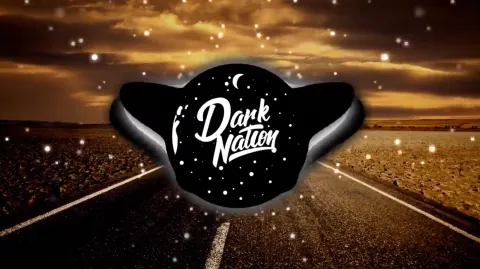
Open Dark Nation and select TikTok above the preview to switch to 9:16. The video becomes taller and narrower, so revisit the composition rather than assuming landscape framing will work. Keep the circle central and important information away from the edges.
- Reframe the backdrop after changing format. If its subject is cropped, adjust its position or compare the image fit options.
- Play a passage with strong bass. Reduce the circle or effects if their peaks leave the preview. Check that the title remains readable on a phone.
- After exporting, watch the vertical file and check a draft in the destination app. Its buttons and captions can cover part of the composition.
16:9, 9:16 or square: which format should you use?
| Format | Common use | Framing to check |
|---|---|---|
| 16:9 | Landscape video | A readable title and cover art that keeps its proportions. |
| 9:16 | TikTok, Reels and Shorts | Spectrum peaks, the background subject and elements near the edges. |
| 1:1 | Square post | Space around the logo and the position of text. |
Checks before publishing your vertical video
The peaks are cropped
A spectrum can grow wider than the vertical frame during a strong passage. Reduce its size or wave height, then replay that passage.
The backdrop is too zoomed in
Compare filling the frame and showing the entire image. The right choice depends on the image: preserving everything may leave empty space.
The app covers your lettering
Preview a draft on your publishing platform. Reposition important text to avoid its buttons and captions; their placement depends on the app.
Frequently asked questions
Does choosing TikTok publish the video to TikTok?
No. The button chooses the 9:16 format. You download the MP4 and publish it yourself.
Can I use the same project in square format?
Yes. Select Square above the preview and check the new composition before exporting.